For New Zealand law firms · Controlled beta
Your firm's operations, under control.
AvenorOps helps New Zealand law firms manage suppliers, contracts, renewals and operational knowledge in one secure place — the operational layer that sits alongside OneLaw, Actionstep or LEAP, not another system to replace them. Protect firm knowledge, reduce key-person risk, and never miss a renewal.
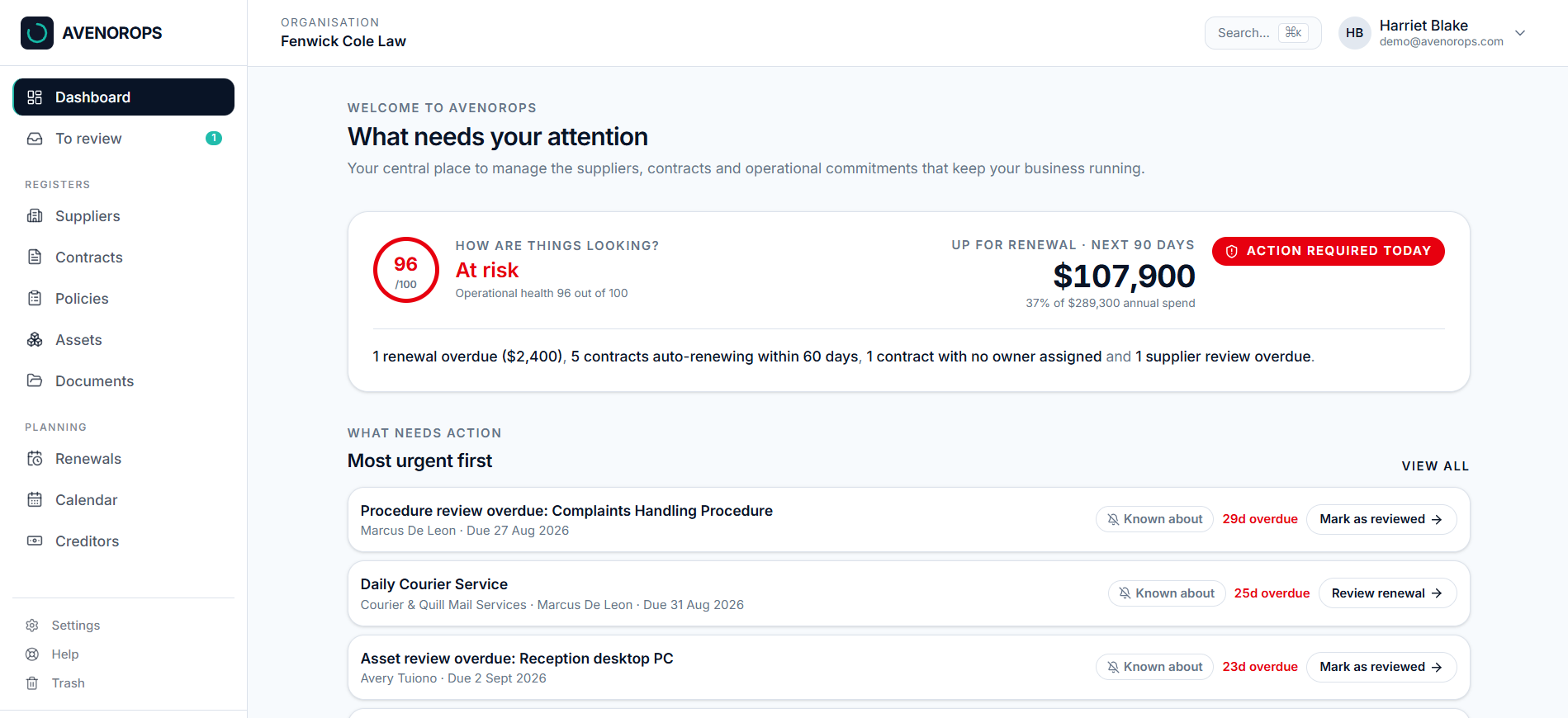
The AvenorOps dashboard — operational health, renewal exposure and the exact items that need action today.
Sound familiar?
It's all in one person's head
When your practice manager is away, nobody knows which supplier to call or when a contract renews.
Renewals roll over quietly
Auto-renewing contracts slip past their notice date and lock the firm in for another year.
Paperwork lives in inboxes
Quotes, certificates and renewal notices sit in someone's email, not with the record they belong to.
Dashboard
What needs attention today (renewals, overdue reviews, spend), ranked by urgency.
Four registers
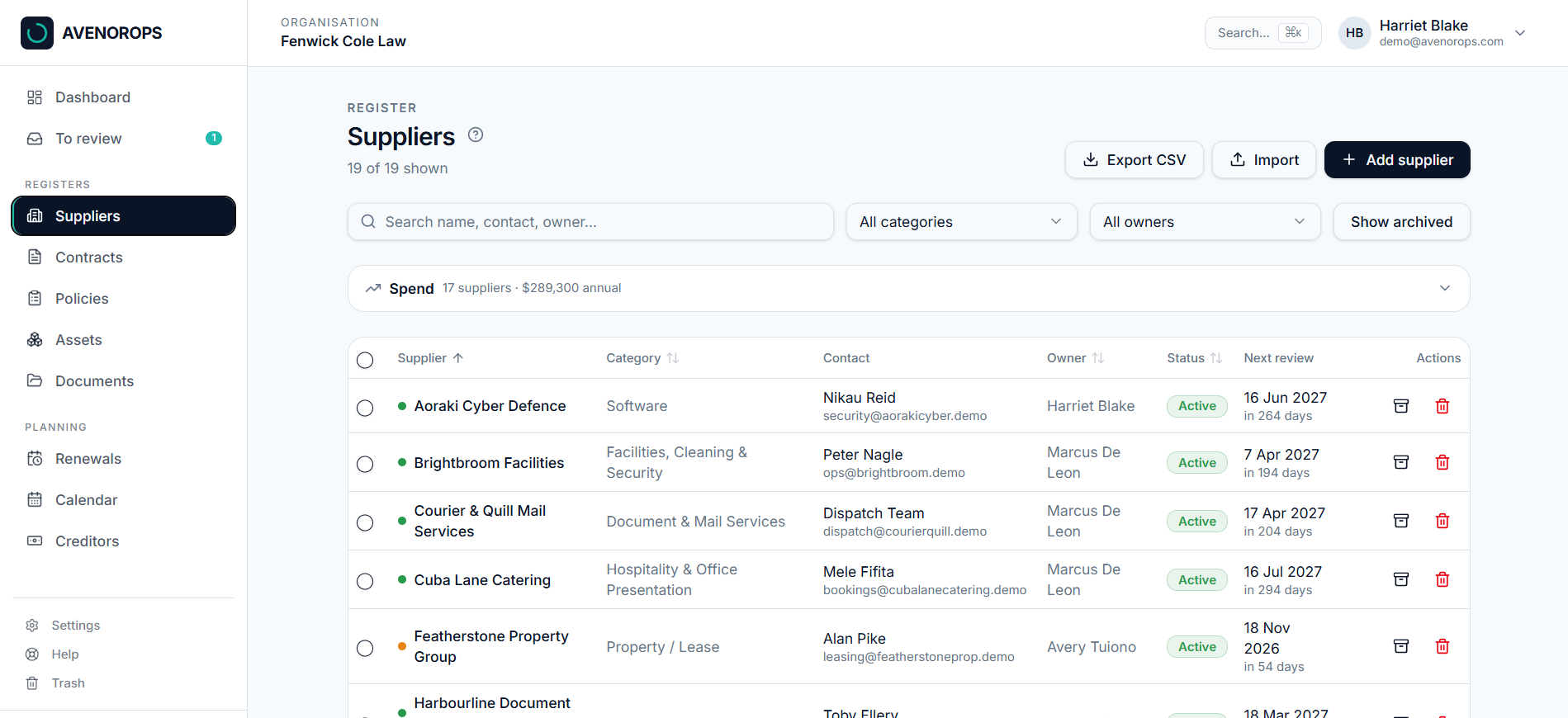
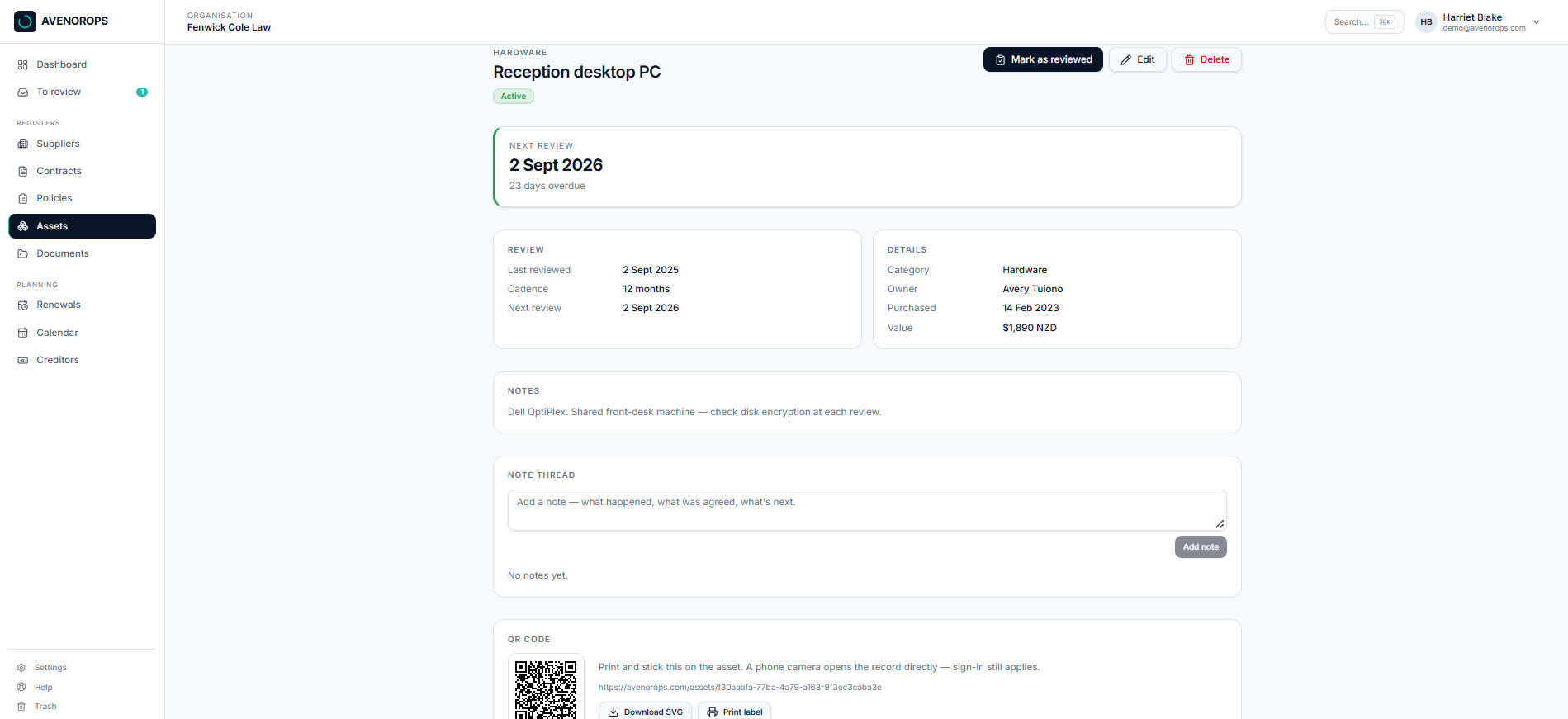
Suppliers, contracts, policies and assets. One trusted record each, and every one has an owner.
Renewals
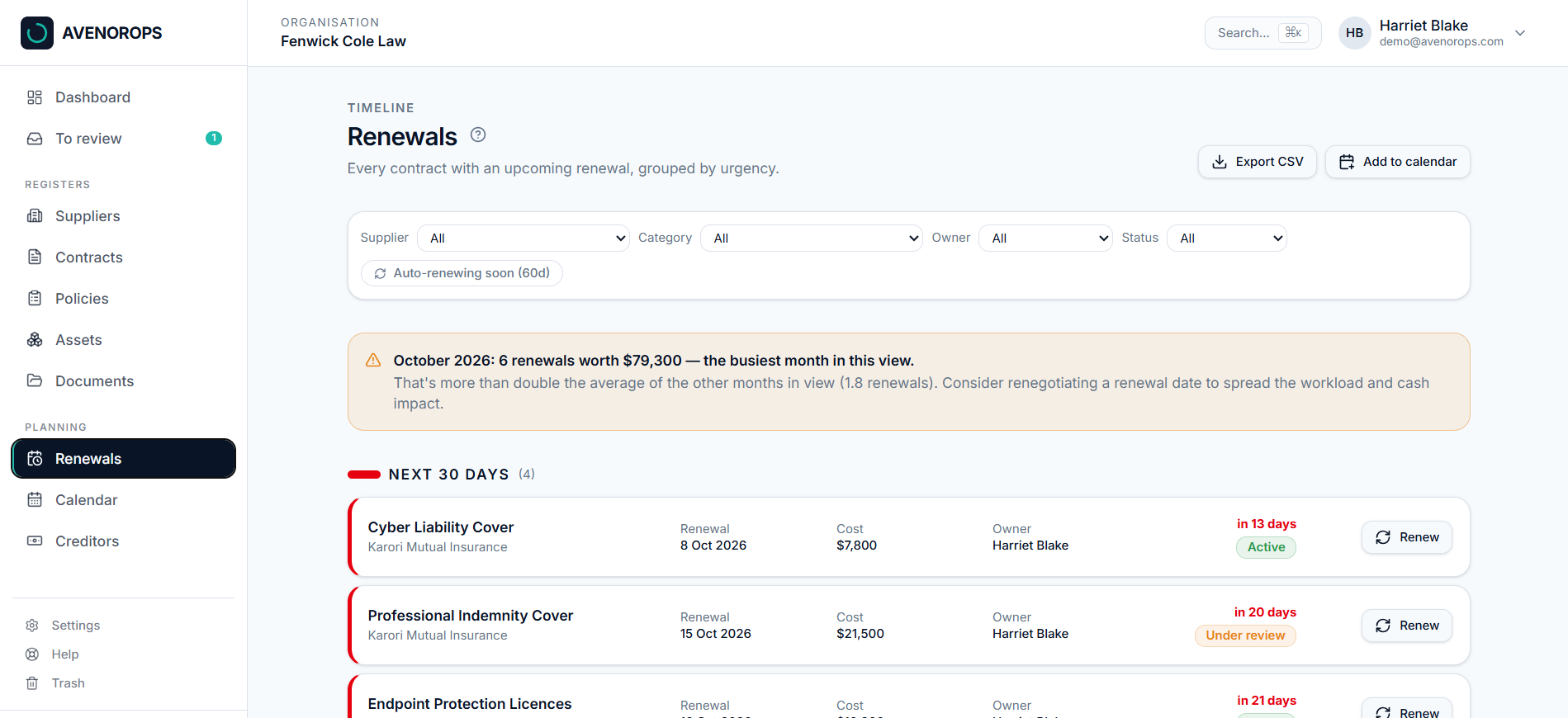
See what's due in 30, 60 and 90 days, get email alerts, and have dates sync live into Outlook or Google Calendar.
Documents & notes
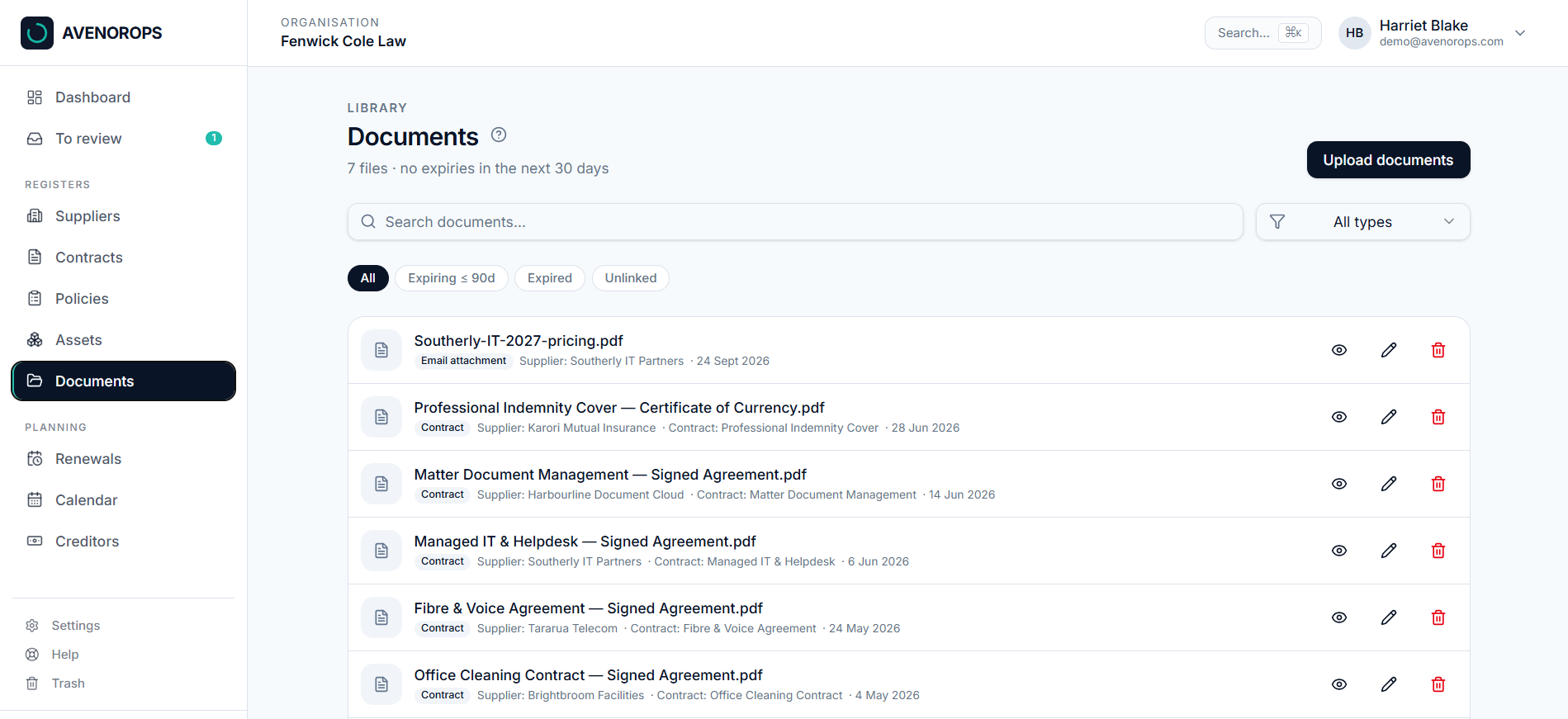
Attach agreements and quotes to the record, with dated notes, so the history lives in AvenorOps and not in someone's inbox.
Forward it in
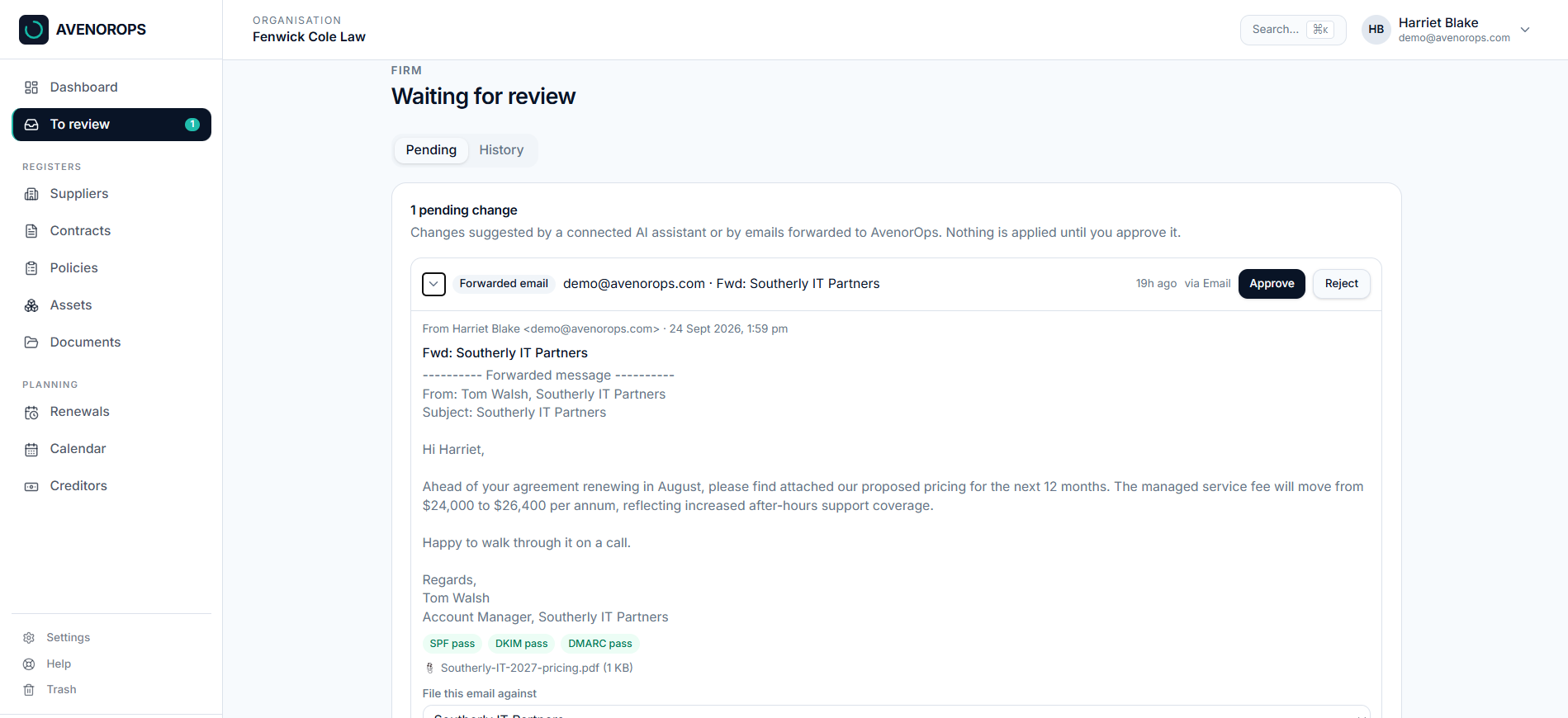
Forward a supplier email to AvenorOps. A firm admin approves it, and it's filed against the right record.
Your AI assistant, connected
Ask Claude about your firm's suppliers and renewals in plain English. It's read-only by default, sees only what you can see, and any change it drafts waits for your approval.
Renewal watch
A clear warning before you're locked into an auto-renewal, and a flag when a renewal comes in noticeably higher.
Key-person cover
See when one person owns too much, and hand it all over in one step when they leave.
Registers
Every supplier, contract, policy and asset in one place
One trusted record for everything the firm relies on — who owns it, what it costs, and when it's next due for review or renewal.
- Suppliers with contacts, categories, owners and annual spend
- Contracts with renewal dates, notice periods, values and owners
- Policies and procedures with owners and review schedules
- Assets with owners, values, review dates and printable QR labels
Renewal alerts
Never miss a renewal date
A timeline grouped by urgency, with notice periods tracked and email alerts before the window closes. Subscribe once to the live calendar feed and every renewal date stays current in Outlook, Google Calendar or Apple Calendar.
- Grouped into next 30, 31–60 and 61–90 day buckets
- Auto-renewing contracts surfaced before notice periods lapse
- Live calendar sync — subscribe once, dates update themselves
- Export to CSV or push dates straight into your calendar
Email forwarding
Forward it in, file it properly
Practice managers live in their inbox. When a supplier sends a renewal notice, an invoice or a new certificate, forward it to AvenorOps. It arrives as a pending item, and a firm admin files it against the right record.
- Forward from your own work address, with nothing new to learn
- A firm admin picks the supplier or contract and approves it
- Attachments stay private until approved, and nothing is added automatically
- Off by default, until a firm admin turns it on in Settings
AI assistant
Ask your firm's operations anything
Connect Claude to AvenorOps and ask in plain English. It sees only what you can see, it's off until a firm admin turns it on, and any change it drafts waits for your approval.
- Ask about suppliers, contracts, renewals, policies and assets
- Read-only by default, with separate controls for proposed changes
- Every proposed change waits for a firm admin to approve it
Ask AvenorOps
Trust and access
Your data stays yours
Role-based access, revoked instantly when someone leaves — see how we handle your data. You can also see what we're working on.
Frequently Asked Questions
Isn't this what our practice management system does?
Practice management systems like OneLaw, Actionstep, LEAP and Smokeball manage legal workflows, clients and matters. AvenorOps manages the operational information required to run the firm — the suppliers, contracts, renewals and technology stack behind the practice.
Who typically manages law firm operations?
Depending on the firm, this is usually the practice manager, office manager, managing partner, operations manager or senior administrator — whoever is responsible for keeping the business running behind the legal work.
Does AvenorOps integrate with our existing systems?
AvenorOps is designed to complement your practice management, document management and accounting systems rather than replace them. It manages the operational layer around those systems.